Work orders are scattered
Tasks live in lists, screens and messages. Nobody sees the whole picture.
Operational work management for manufacturers
Xevornu brings tasks, planning, inventory processes and daily execution together in one clear platform. Employees know what to do, while planners and team leads see what is actually happening.
For production, warehouse, planning and operations teams.
The operational gap
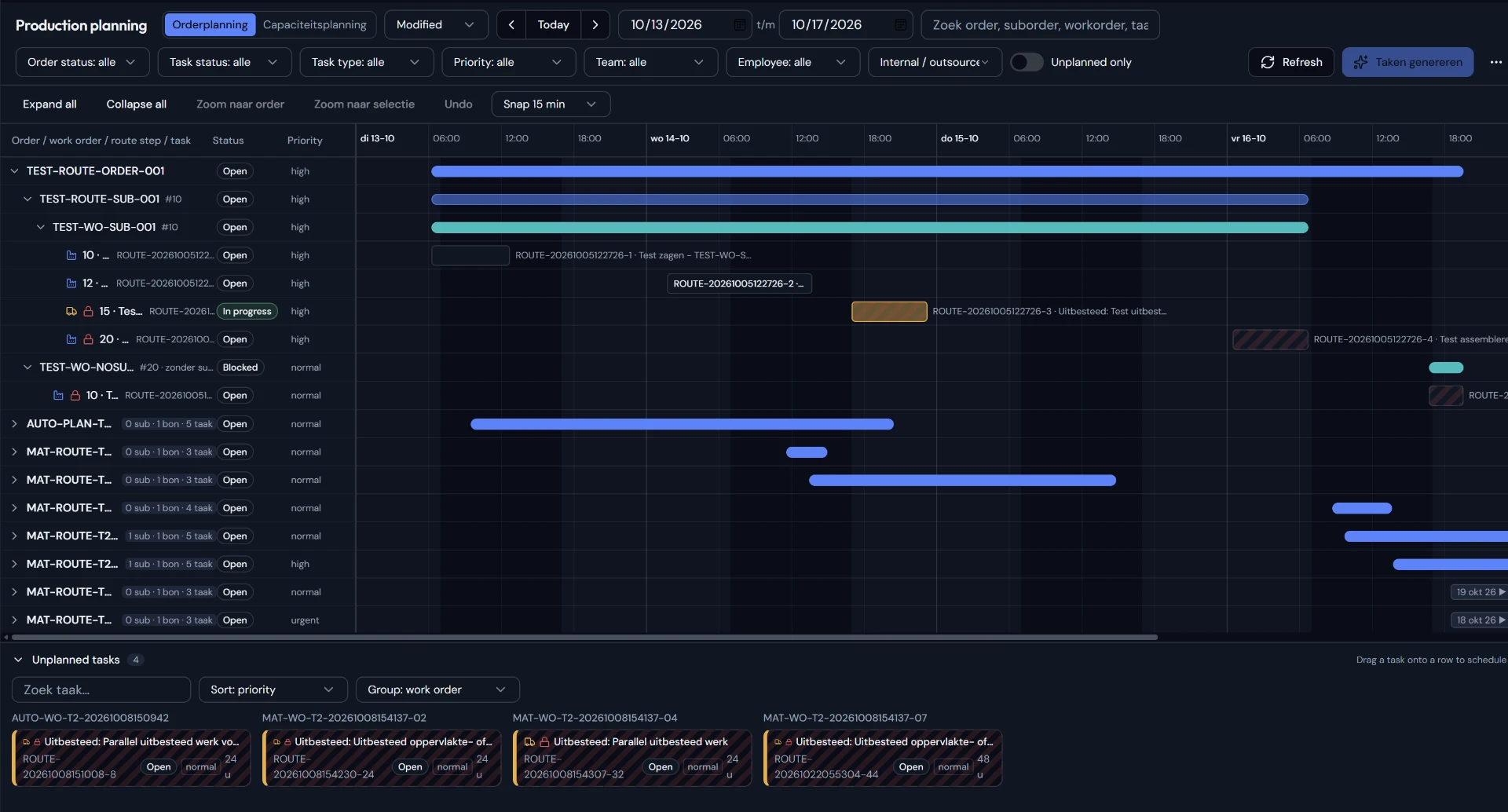
Operational work easily gets scattered across screens, lists, schedules and verbal agreements. As a result, there is no up-to-date view of who is working on what, what still needs to be done and where execution deviates.
Work orders are scattered
Tasks live in lists, screens and messages. Nobody sees the whole picture.
Progress is only visible afterwards
Deviations only surface when the work should already have been finished.
Planning and execution don't line up
What is planned and what actually happens drift apart unnoticed.
Workflow
ERP data
Orders, items and material requirements
Planning and assignments
Assign work to people and teams
Clear tasks
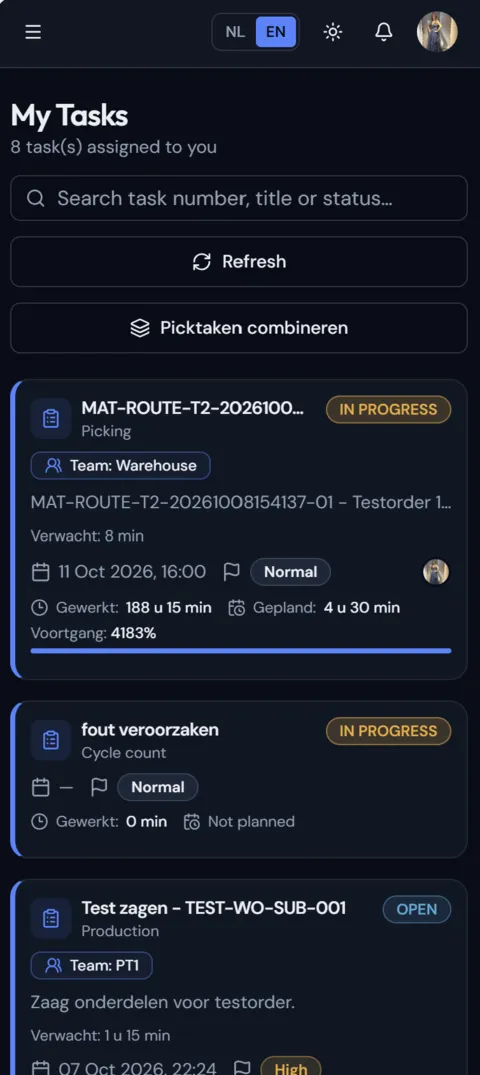
One work queue per employee
Execution on the floor
Start, pause, complete
Status and progress
Up-to-date insight for adjusting
Product areas
Personal
Prepare work order
Scheduled
Count stock warehouse A
Team
Check materials
My tasks
Give employees one overview of personal, scheduled and team work.
ERP integration
Connect business data to operational execution without making the shop floor needlessly complex.
Planning and progress
Make planned, active and completed work clearly visible.
Picking
Turn material requirements into clear operational pick tasks.
Cycle counting
Organise stock checks as a clear, task-driven process.
Prepare work order
01:12:40
Time and execution
Record start, pause, resume and completion moments around the work performed.
How it works
01 · Organise
Orders and material requirements become concrete tasks with a clear description, location and sequence.
02 · Plan
Planners distribute work across people and teams and immediately see what is still unassigned.
03 · Execute
The shop floor sees exactly what needs to happen, with the actions that go with it.
04 · Improve
Team leads spot earlier where work falls behind and can step in on time.
Shop floor
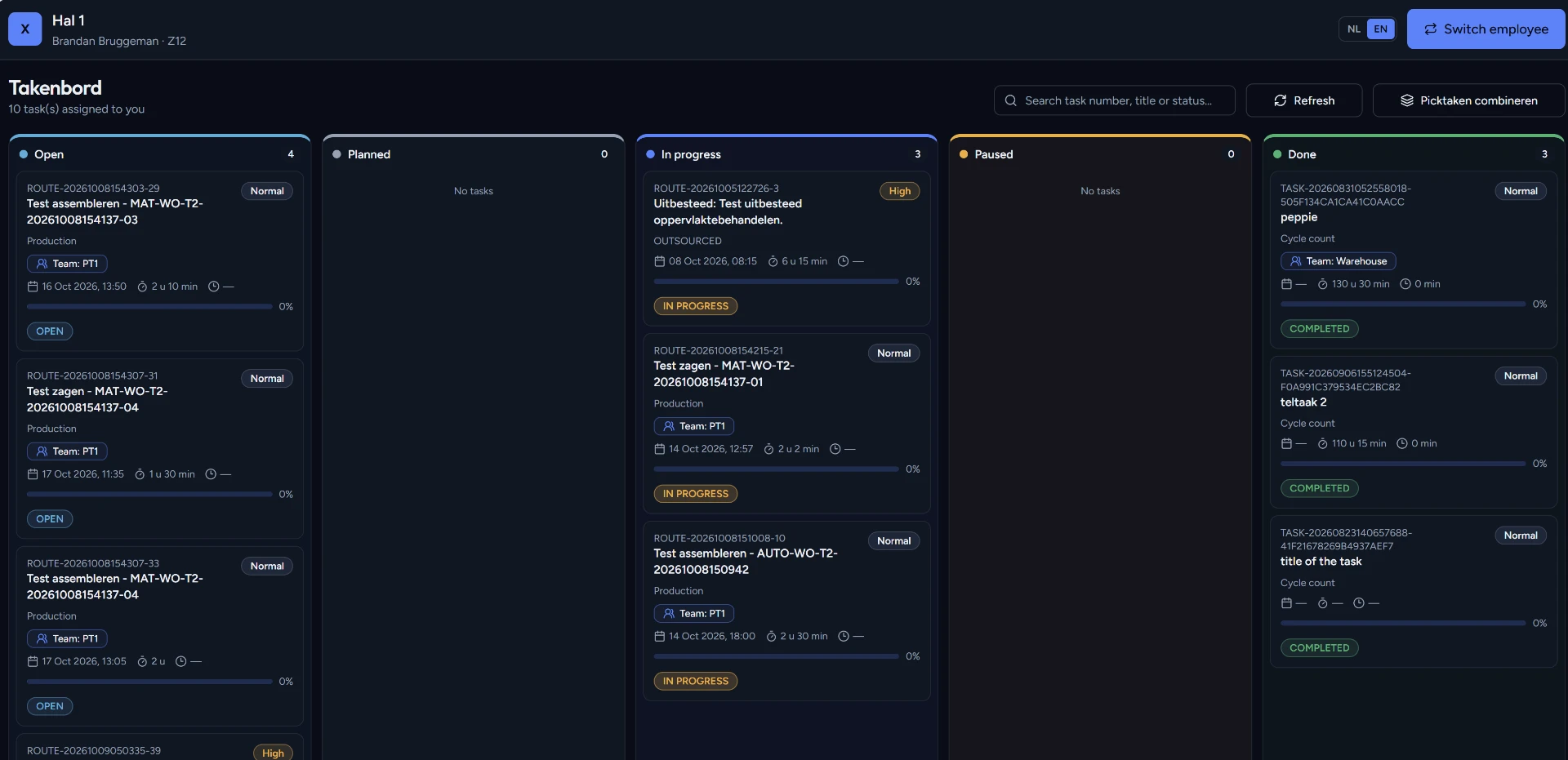
Employees work from their own task board. What is open, what someone is working on and what is done sit side by side — per hall and per employee.
From open to done
Tasks move visibly through the statuses on the board.
Per hall and per employee
Everyone sees the work that belongs to them.
Updated straight away
Status and progress change as soon as the work shifts.
Who it's for
For employees
For planners and team leads
For IT and application management
Integration
Use relevant business data as the basis for clear operational workflows and bring daily execution back into one recognisable environment.
Discuss your integrationCore values
Control
Up-to-date insight into what is happening, who is working on what and what remains.
Reliability
Consistent processes and data that teams can rely on every day.
Simplicity
A clear work queue without unnecessary screens or steps.
Connection
ERP, planning, warehouse and employees in one coherent way of working.
Frequently asked questions
Can't find your question? Feel free to get in touch.
Discover how Xevornu brings planning, inventory processes and daily execution together in one clear way of working.